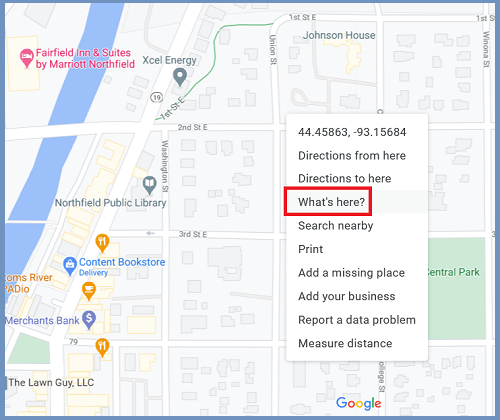
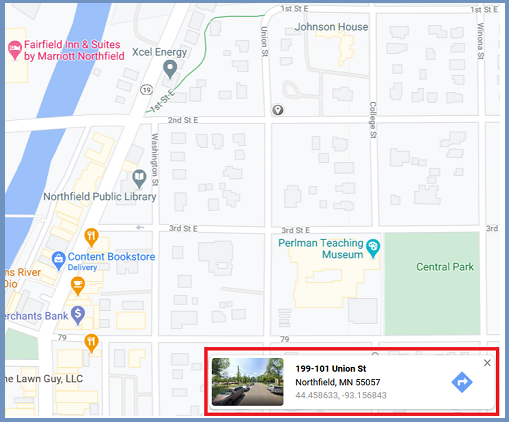
Geocoding is a process of taking a location description and convert it to real world coordinates. The coordinates can then be used to display the location on a map or for geospatial analysis. When you type in “1 North College St, 55057” in Google Maps search box to find out where Carleton College is, it is geocoding working behind the scene.

Commonly used location description, addresses, place names, zip codes, and landmark names (e.g. Statue of Liberty), can be used as inputs of geocoding.

The geocoding process in general is composed of three steps:
Step 1:
Input location descriptions are standardized by parsed into individual components.
Step 2:
The standardized location descriptions are compared with the location descriptions in the reference GIS dataset and a score indicating how close the match is assigned to the references.
Step 3:
The reference location with the highest match score and exceeds a user-defined threshold score is assigned to the input location description. If more than one reference locations meet the above criteria, there is a tie. If there are no reference locations with a match score greater than the threshold score, no location is assigned to the input location description.
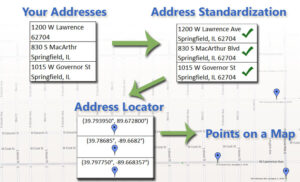
Source: School Analyst
Here are details to help you better understand the geocoding process for US addresses:
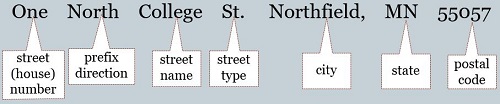
(1) U.S. addresses are composed of the following components:
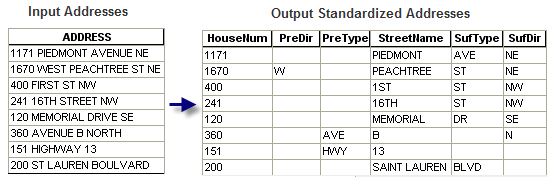
street (house) number, prefix direction, prefix type, street name, street type, suffix direction, and zone information such as city, state, and ZIP Code.
Here is an example of input U.S. addresses and their standardized forms.
Source: Esri
(2) Soundex, a method of phonetic spelling, is used to speed up the search for candidate streets. The algorithm of Soundex is beyond the scope of this course. Basically, words with similar pronounciations have similar Soundex index values. For example:
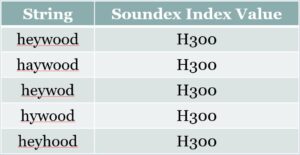
If the input address “7000 Heywood Ln” is misspelled as “7000 Haywood Ln”, the correct street in the reference dataset will still be selected as a candidate match because “Haywood” and “Heywood” have the same Soundex index value.
(3) The reference data, algorithms and operations used to convert the input location descriptions to coordinates is called a geocoder or a locator (ArcGIS software use the term locator).
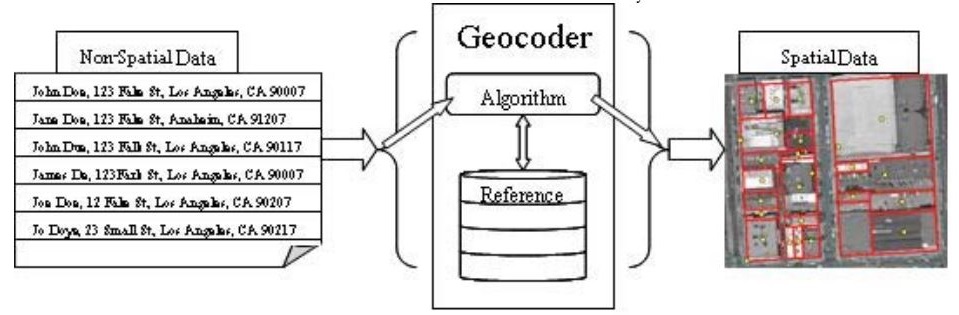
Goldberg, 2008.
Here is another look of the geocoding process with more details included:
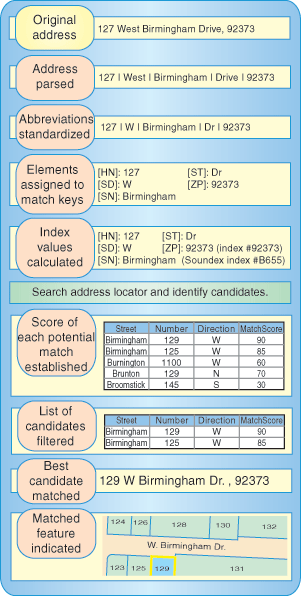
The related process, reverse geocoding, converts coordinates to an address. For example, when you right-click a location on Google Maps and click “What’s here”, Google Maps return an address/approximate address.